
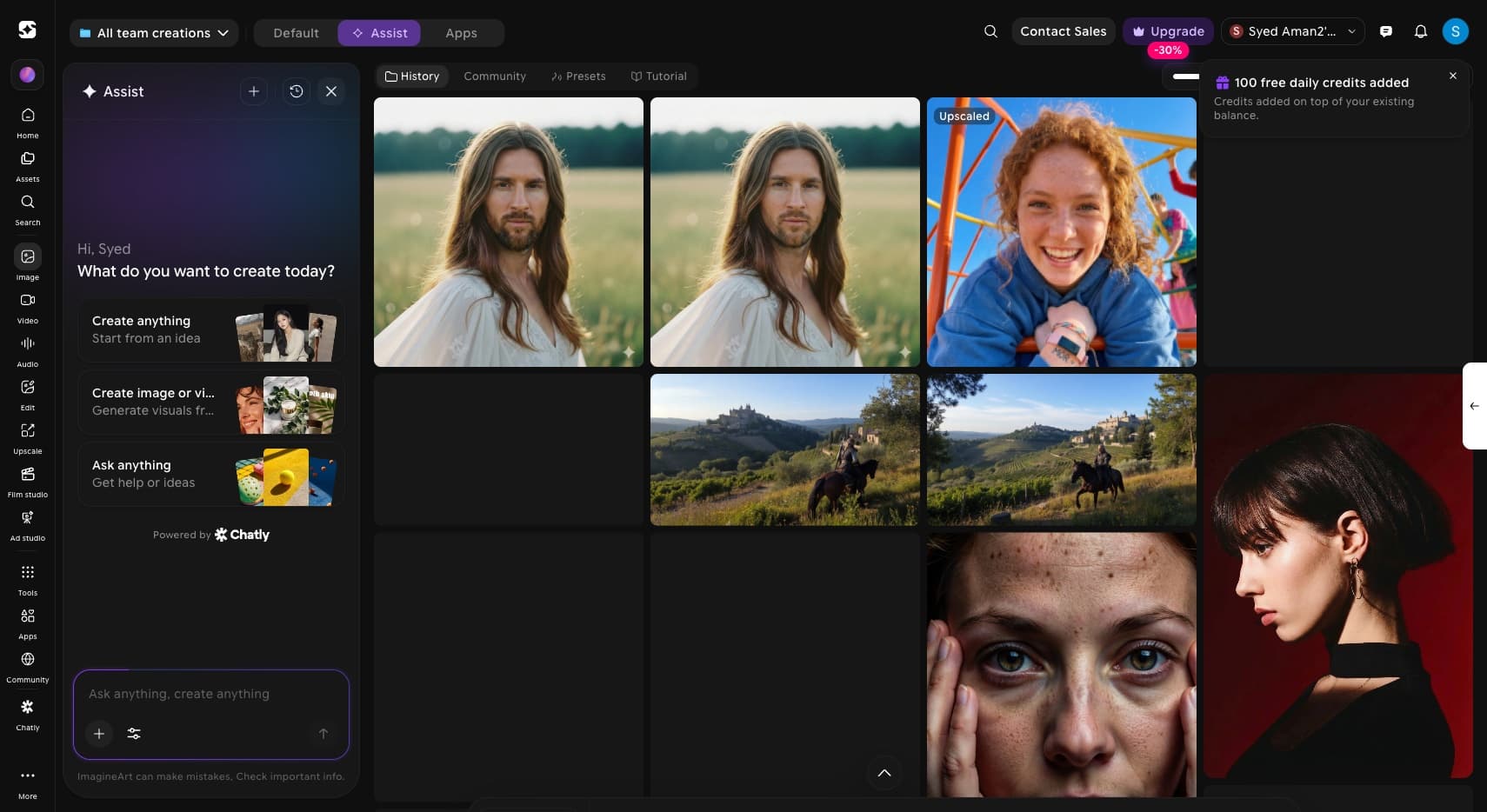
Assist is ImagineArt's conversational front door. Instead of choosing a tool, you say what you want in plain language. Assist reads the intent, picks the model, generates inline, and hands you the next step. The bet: a conversation beats a menu for most people, most of the time.
What is Assist?
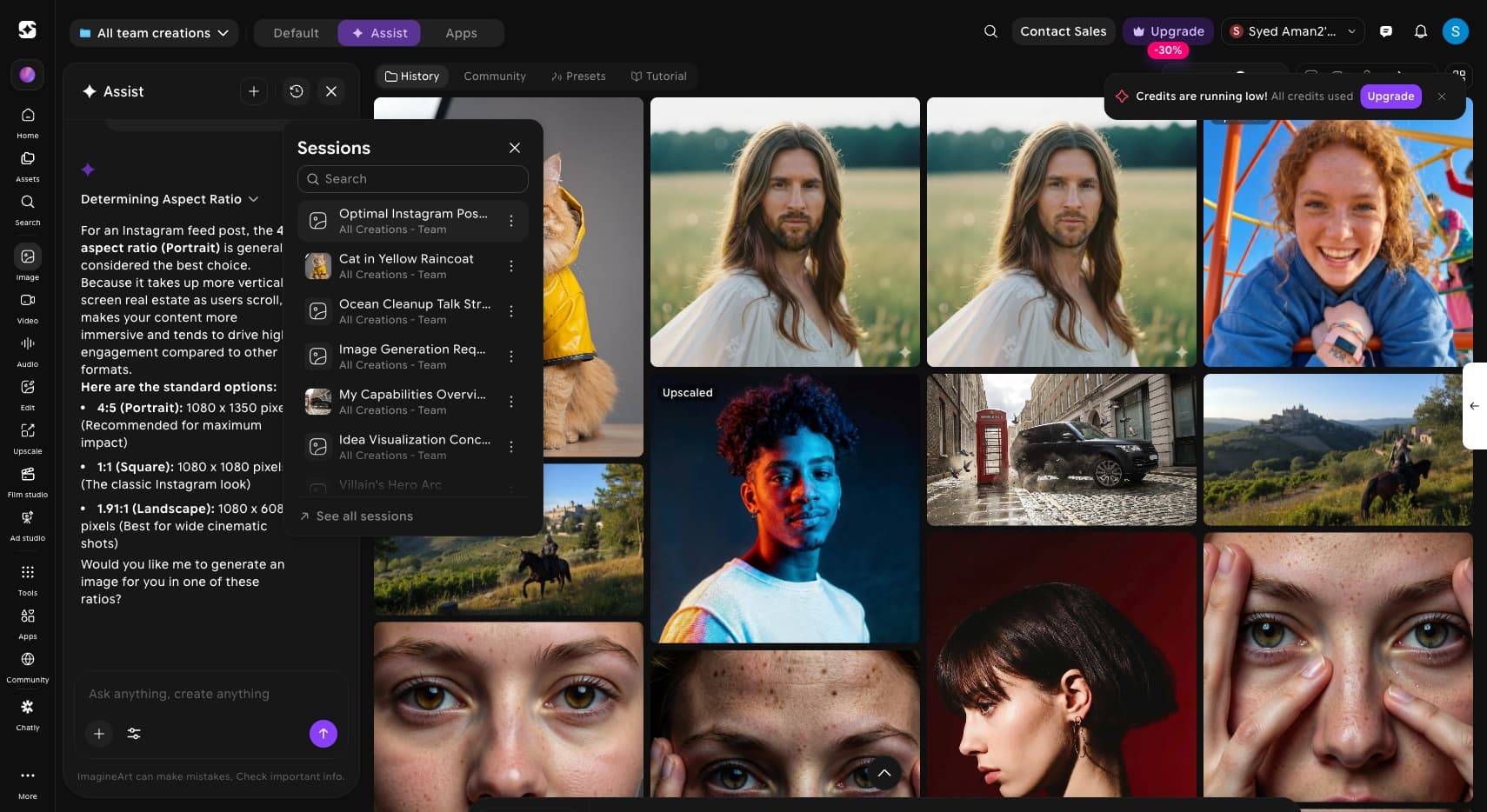
Assist is a mode inside ImagineArt's Image Studio. A chat panel sits on the left, your work fills the gallery on the right. You describe what you want, and Assist decides whether to generate an image, generate a video, or just answer, then does it inline. It runs on the same models and the same credit pool as the rest of the suite.
Why this project?
ImagineArt had grown into a grid of powerful tools: Image, Video, Edit, Upscale, Film Studio. Power for people who already knew what each one did, a wall for everyone else. Assist had to be the front door that meets people where they actually start: with an intention, not a tool name.
A creative suite gets more capable and harder to use at the same time. Every new model is another button. So how do you put the whole suite behind one prompt, without dumbing it down or pretending the chatbot is magic?
People arrive wanting a result, not a tool. "Make me a thumbnail" should not require knowing whether that lives under Image, Edit, or Apps.
A reply is cheap. The hard part is turning a sentence into the right model call, with the right settings, and showing the work as it happens.
Image, video and plain answers had to share one thread without it feeling like three bolted-together products.
One credit pool
Assist spends the same ImagineArt credits as every other tool. No separate wallet, no second mental model to learn.
Model-agnostic by design
The image and video models change constantly. Assist had to pick the best one for the job and keep working when the lineup shifts.
Built on a chat engine
The conversation runs on Chatly. The design job was the bridge: turning loose language into structured, billable generation jobs.
Lives beside the classic studio
Assist is a tab next to the standard tool, not a replacement. It had to win people over without taking away the control the power users came for.
Read the intent, then do the work. Talk only as much as it takes.
Classify the intent before doing anything.
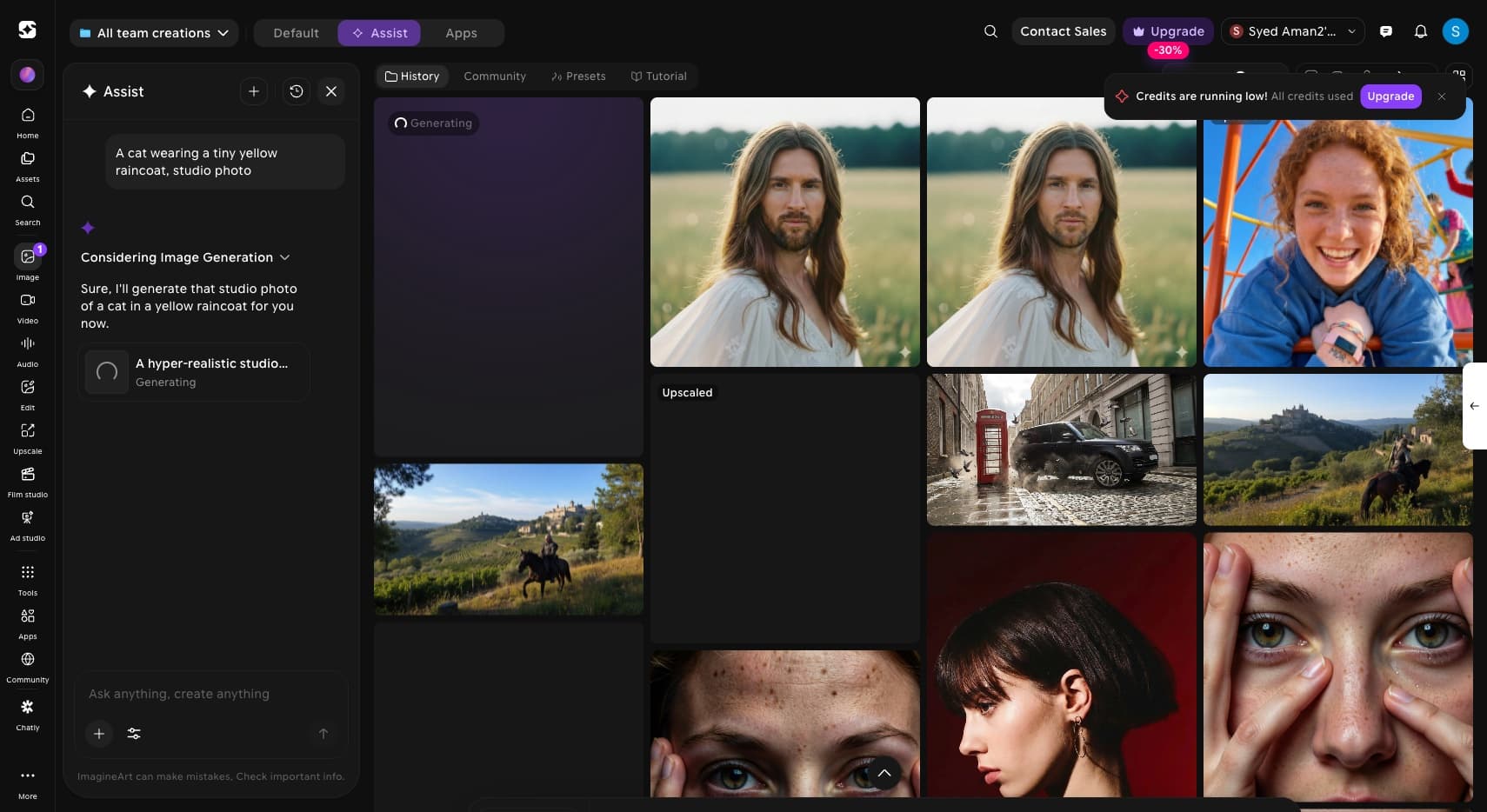
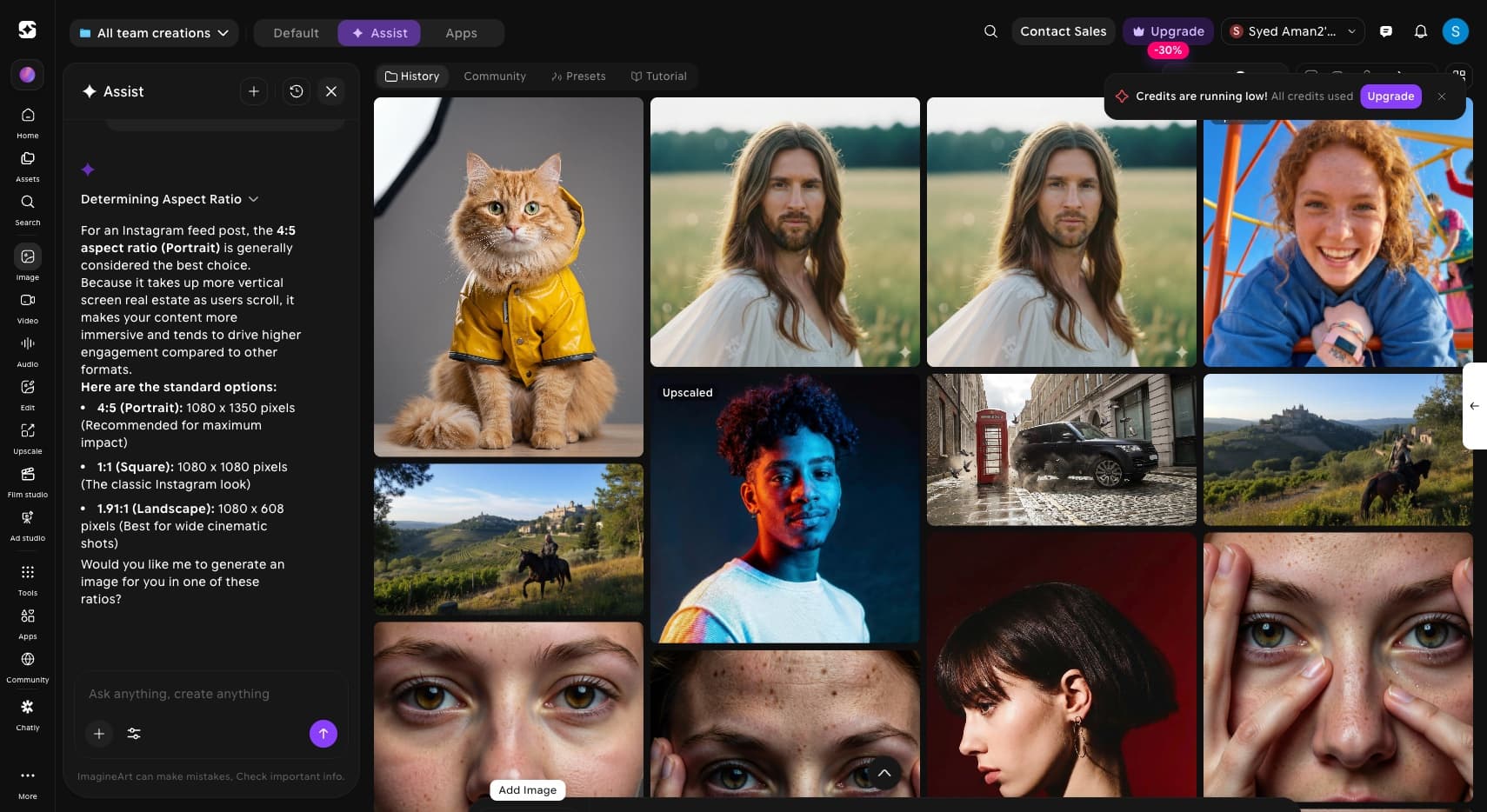
Assist shows what it decided ("Considering Image Generation", "Determining Aspect Ratio") so the routing is legible, not a black box.
Some prompts want an image, some want a video, some want advice. The same box has to pick correctly, every time.
A one-line ask becomes a full, model-ready prompt under the hood, so a casual sentence still produces a considered result.
Keep the result in the conversation.
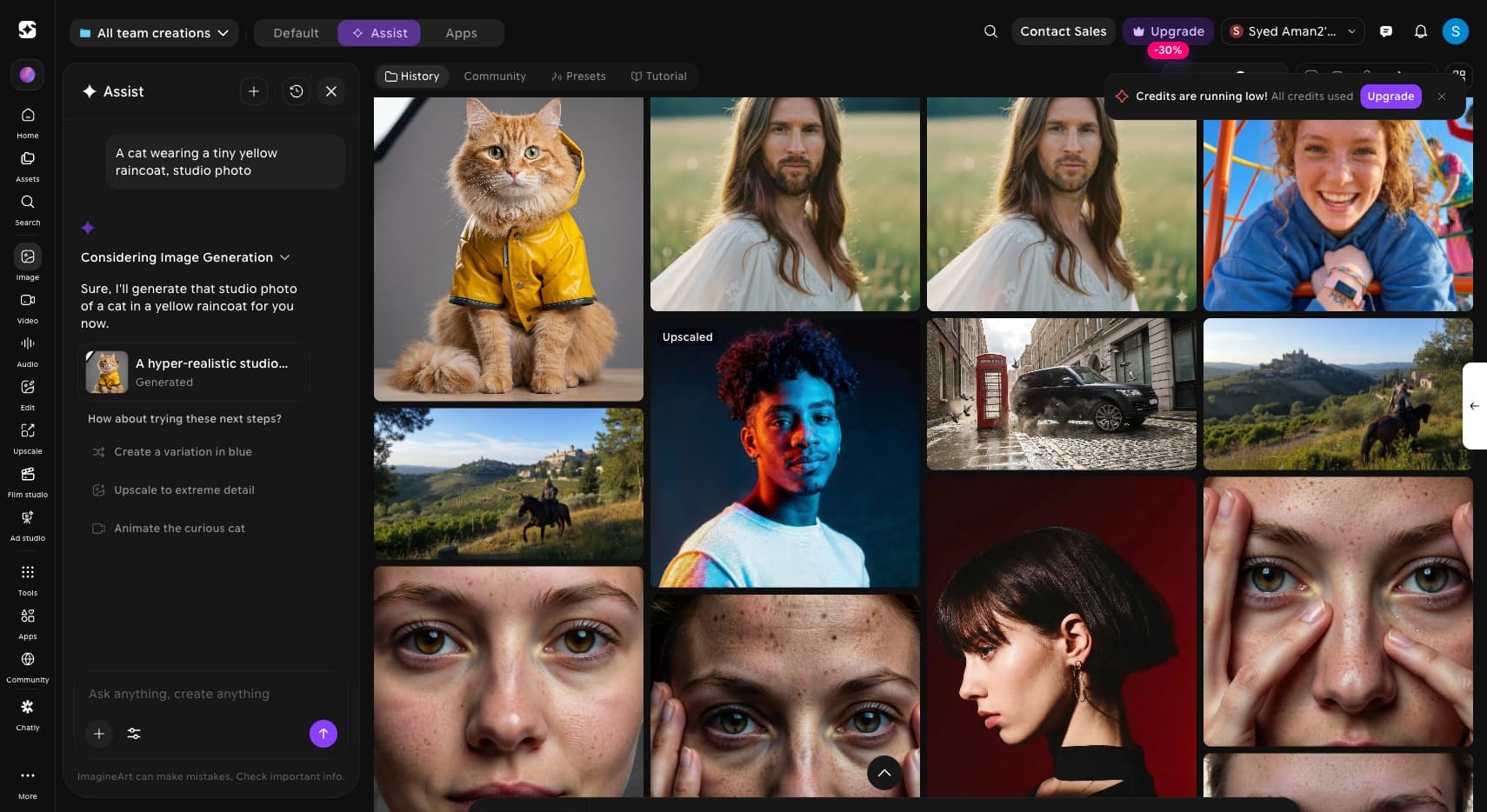
Generation happens in the thread and lands in the gallery beside it. You never leave the conversation to see your work.
After a result, Assist offers the obvious follow-on: a variation, an upscale, an animation. The suite reveals itself through use.
Threads auto-title and persist ("Cat in Yellow Raincoat"), so a creative direction is something you can return to, not retype.
Make the conversation a front door, not a dead end.
A next step like "Upscale" or "Animate" hands off to the actual tool, so Assist teaches the suite instead of replacing it.
Ask a question and Assist answers, then offers to act on the answer. The exit from every reply is a creation.
Standard, Assist and Apps are tabs on one surface, so switching modes never feels like switching apps.
The craft is in what Assist hides.
Behind one sentence sits a chain of decisions: classify the intent, choose the modality, pick the model, expand the prompt, run the job, then read the result well enough to suggest the right next move. The work was making all of that legible without making it loud. A short status line where a spinner would do. A plain reason for each choice. Suggestions that feel like a collaborator reading the room, not a menu reopening itself.
The best front door does the routing so the person never has to learn the building.
A launch that hit six figures of users in its first weeks, then held a plateau.
Mixpanel · ImagineArt (Imagine Web - Prod) · One Chat - Agent · 2026
Roughly 700K Assist interactions ran across the first five months, and the curve held a six-figure plateau rather than spiking and dying. The honest read: people will talk to the suite, and they come back. The open question is conversion, turning those conversations into the same depth of habit as the standalone tools.
Intent is the real interface.
The tool grid was never the product. People come with a goal, and the design that mattered most was the one that read the goal and chose the tool for them.
Show the reasoning, briefly.
A one-line "here is what I am doing" did more for trust than any amount of polish. People forgive a machine that tells them how it is thinking.
A front door has to lead somewhere.
Assist earns its place by handing people off into the real tools, not by trapping them in chat. Suggesting the next step was the feature, not a nicety.
Close the conversion gap
Plenty of people talk to Assist. The next job is turning those sessions into the deep, repeat habit the standalone tools already earn.
Make routing transparent and editable
Let people see and correct the model and settings Assist chose, so power users gain control without leaving the conversation.
Carry context across modalities
An image, its upscale and its animation should share one thread of intent, so a project evolves in place instead of restarting each time.
Teach the suite through suggestions
Tune the next-step prompts to surface tools people have not tried, turning Assist into the discovery layer for everything ImagineArt can do.