The launch of Film Studio inside ImagineArt: a project-based AI film environment built on six production controls and five output types. A model-agnostic shell that routes every shot to the best cinematic image and video model available, all on one credit pool.
Where this lives?
ImagineArt is the consumer GenAI suite from Vyro, a bootstrapped company that quietly outranks much of Silicon Valley on photorealistic image generation. Image, video, voice, lipsync, workflows, on top of dozens of model versions from eight families: Veo, Kling, Runway, Sora, Wan, Pixverse, Hailuo, Seedance.
Why this feature?
We had every leading video model. Customers were stitching coverage of a single scene by hand. Generate, download, re-prompt, hope the character matches, paste into Premiere. The bench was world-class. The workflow on top of it was not. Film Studio was the answer.
Most AI video tools are clip generators dressed up as filmmakers. You write a sentence. You get five seconds. If you want a second shot of the same character, you start over.
Characters, locations, props drift between generations. There was no first-class concept of "a thing that recurs."
"A cool action scene with cinematic lighting" produces slop. Working DPs say ARRI ALEXA, Zeiss, push-in, T1.4. The model never hears any of it.
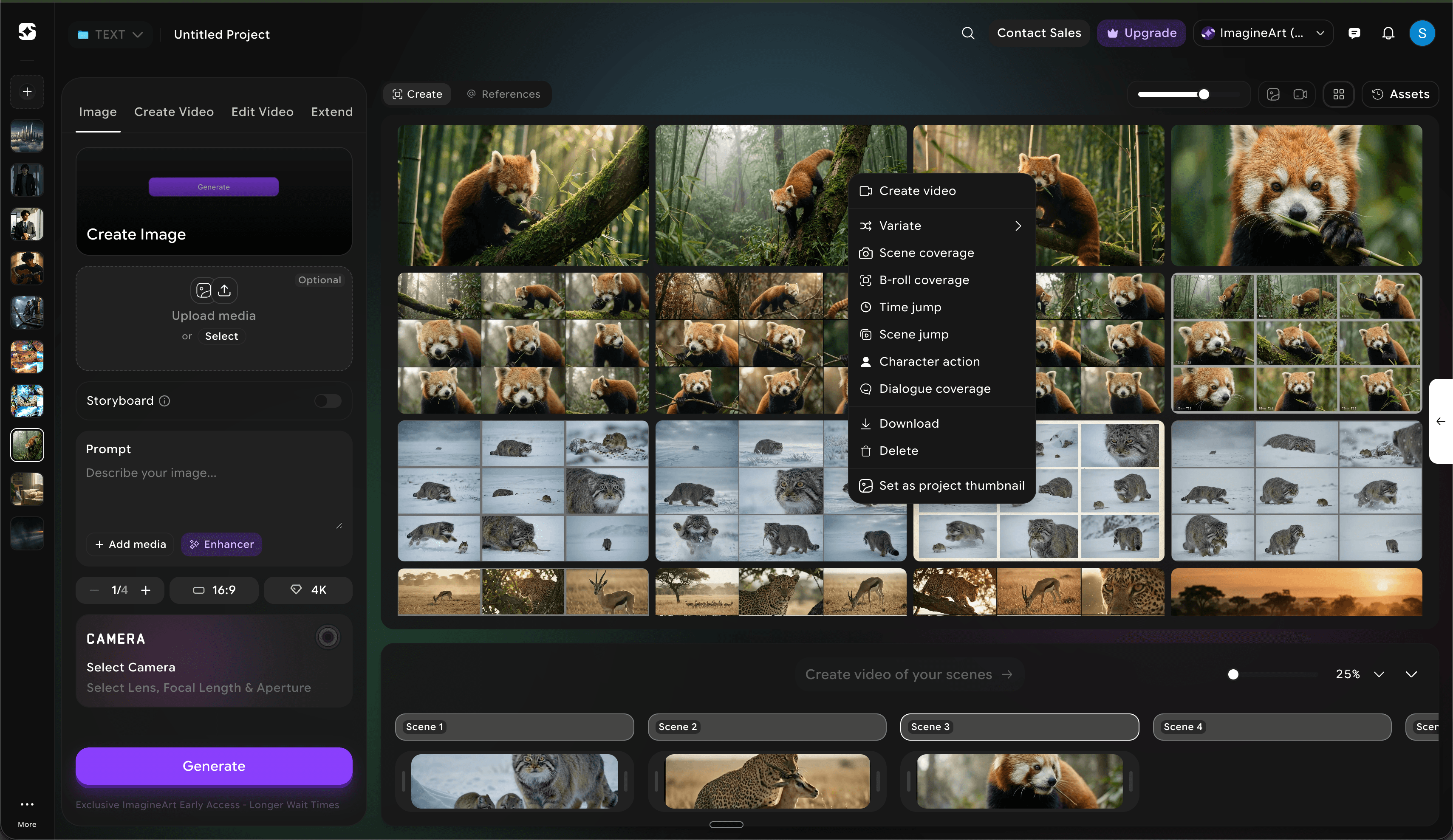
A real production needs more than clips. It needs stills, B-roll, scene jumps, time jumps, a storyboard.
One credit pool
Customers pay for ImagineArt credits, not Film Studio credits. Same balance. Same model picker.
No node graphs
Comfy-style DAGs are for engineers. Our user wants Hollywood vocabulary, not a data-flow editor.
Mobile DNA, web body
ImagineArt grew up on mobile. The studio is web-first because the workspace doesn't fit a phone, but the directness comes straight from mobile.
Model-agnostic shell
Seedance 2.0 today, Veo 4 tomorrow. The shell had to outlive any single model.
Ship fast in a market that ships weekly
Higgsfield was on Cinema Studio 3.5 by the time I started. Runway, Sora, Veo all kept moving. Perfection was a losing strategy.
All three decisions ladder to one conviction: the interface should speak film, not prompts. The shell carries the directing language so the user doesn't have to.
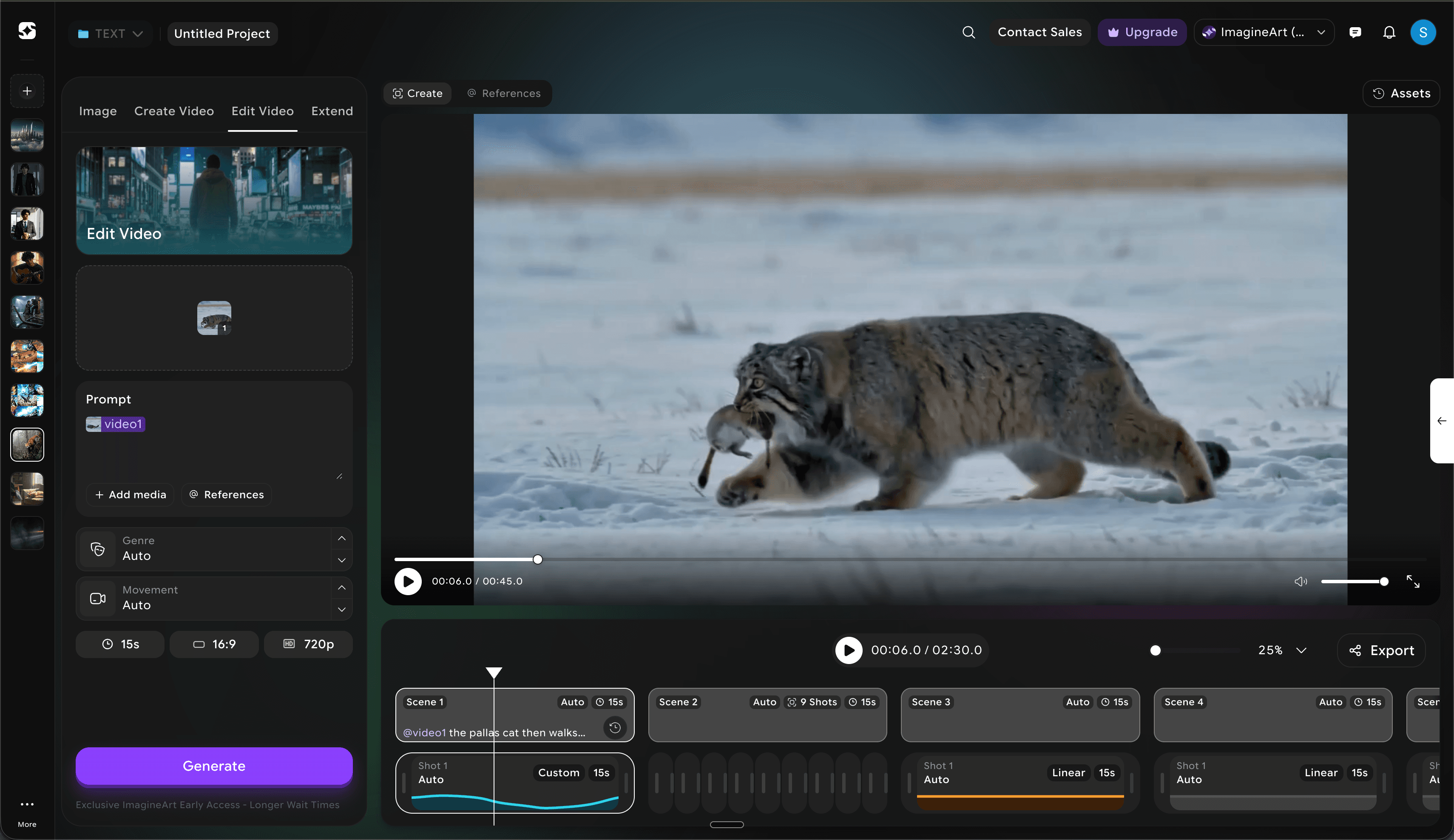
Replace the prompt box with an intuitive side panel.
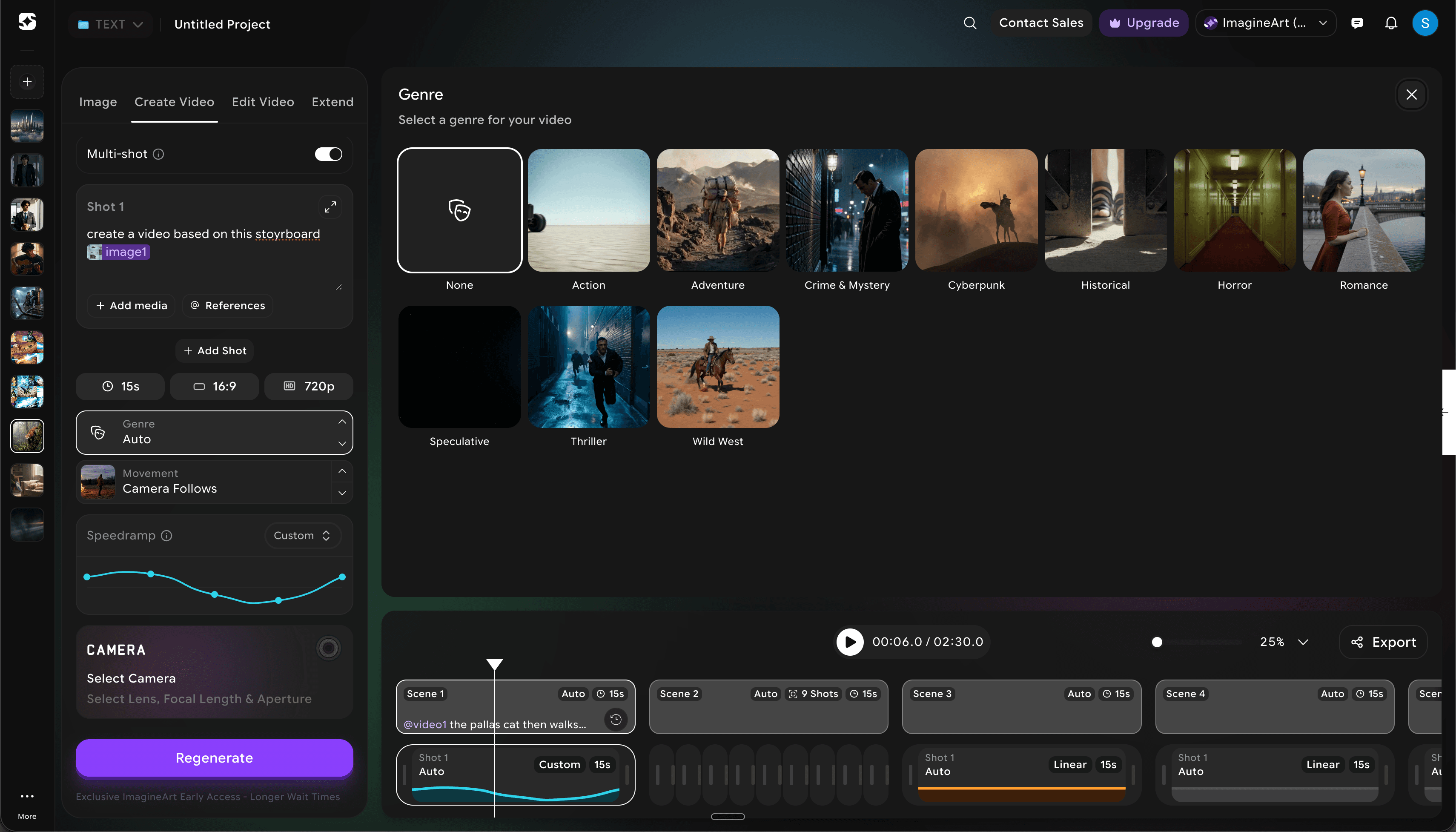
A prompt box asks you to remember what a 35mm anamorphic looks like. The side panel shows you every option, every time. You don't need to know film school vocabulary to make a choice.
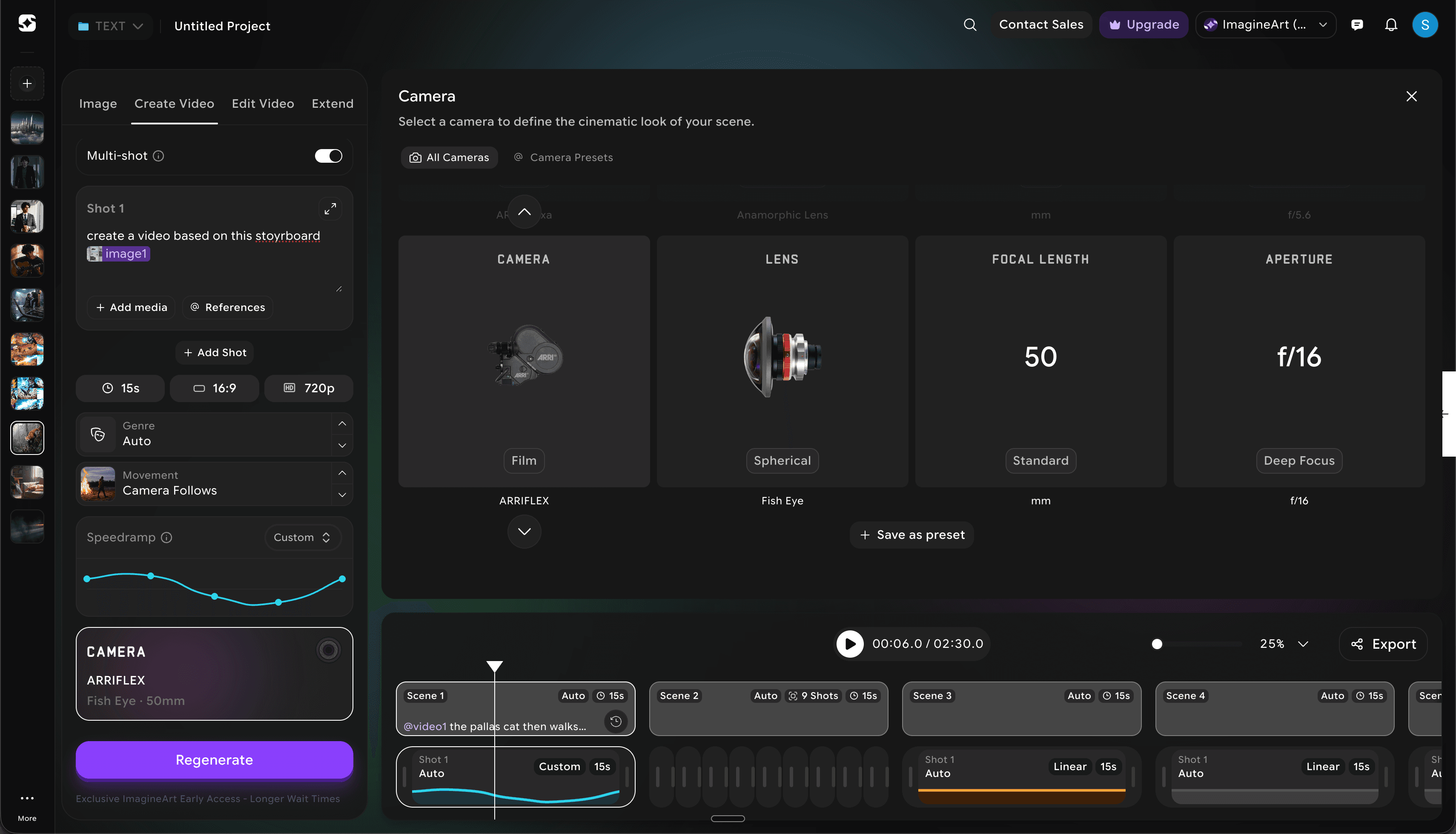
Bad output from a prompt box is hard to diagnose. From a side panel it isn't. I chose ARRI Alexa, Handheld, Noir, 35mm. Turn off one, change another, regenerate. The decision tree is legible. Iteration becomes science, not seance.
In a multi-shot project, your Camera, Movement and Genre selections become the default for the next shot. You get visual consistency without retyping.
Add the tools filmmakers actually need.
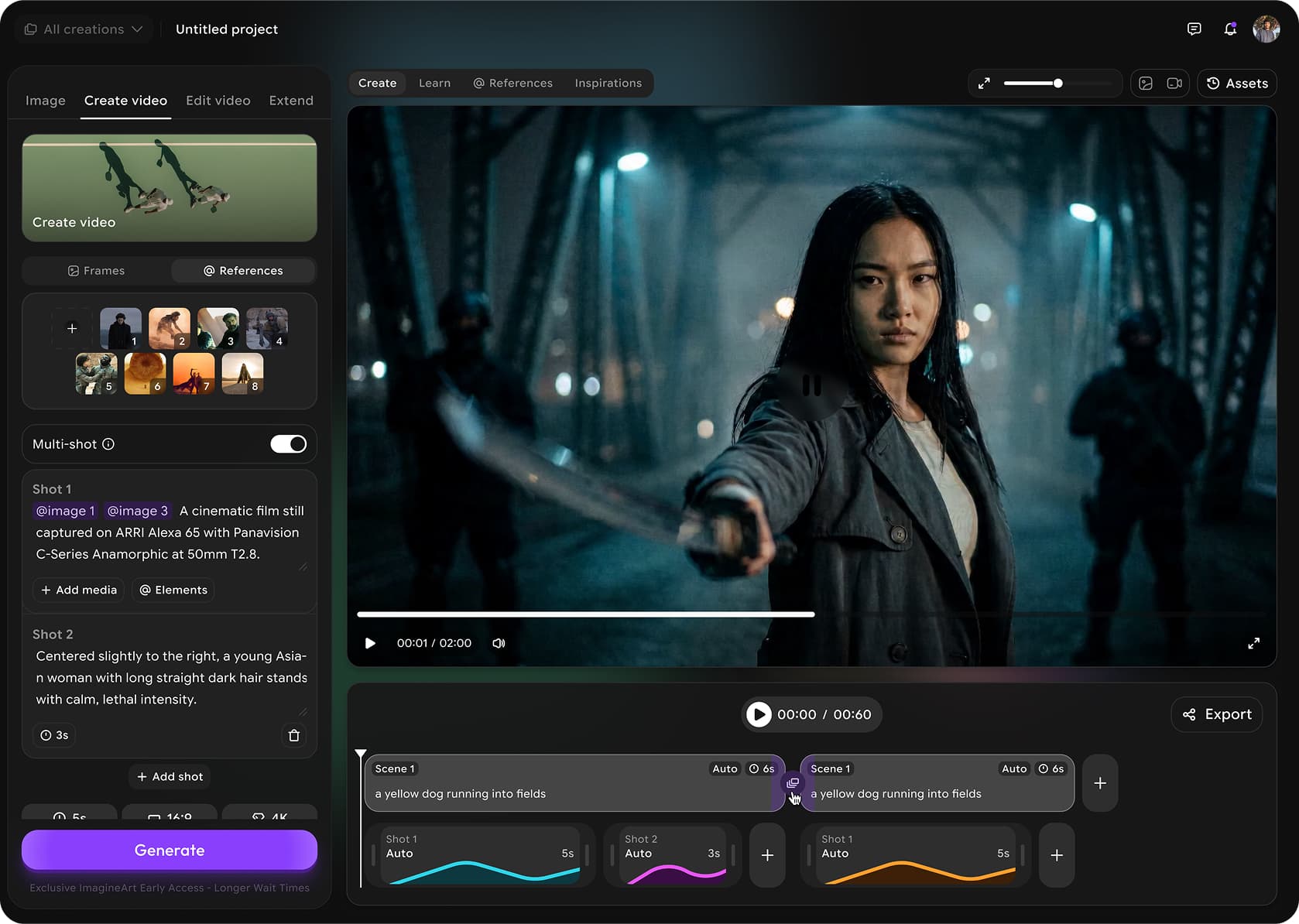
Clip, still, B-roll, scene jump and storyboard share one project surface. A production needs more than five-second clips, so the studio stopped pretending it was only a clip generator.
Characters, locations and props become reusable references attached to the project, so the same face survives across shots instead of being re-rolled every time.
Each control maps to a job on a real set: DP, gaffer, editor. The panel reads as a crew, not a settings page.
Make the shell outlive the model.
The user picks Camera, Movement and Genre, not 'Seedance 2.0'. The shell translates intent into whichever model is best today, so a model swap is a backend change, not a redesign.
Every output bills against the same ImagineArt balance, so users never have to reason about per-model pricing mid-edit.
Adding Veo 4 is a new option in an existing control. The cost of a new model is one row of copy, not a new surface.
The side panel teaches the language of film while you use it.
Each control (Camera, Lens, Movement, Lighting, Genre) pairs a plain-language label with the film term underneath. A first-time creator and a working DP read the same panel differently and both feel at home. The vocabulary is the onboarding, so there is no tour.
Vocabulary is product. The words on a surface decide what users believe the system can do.
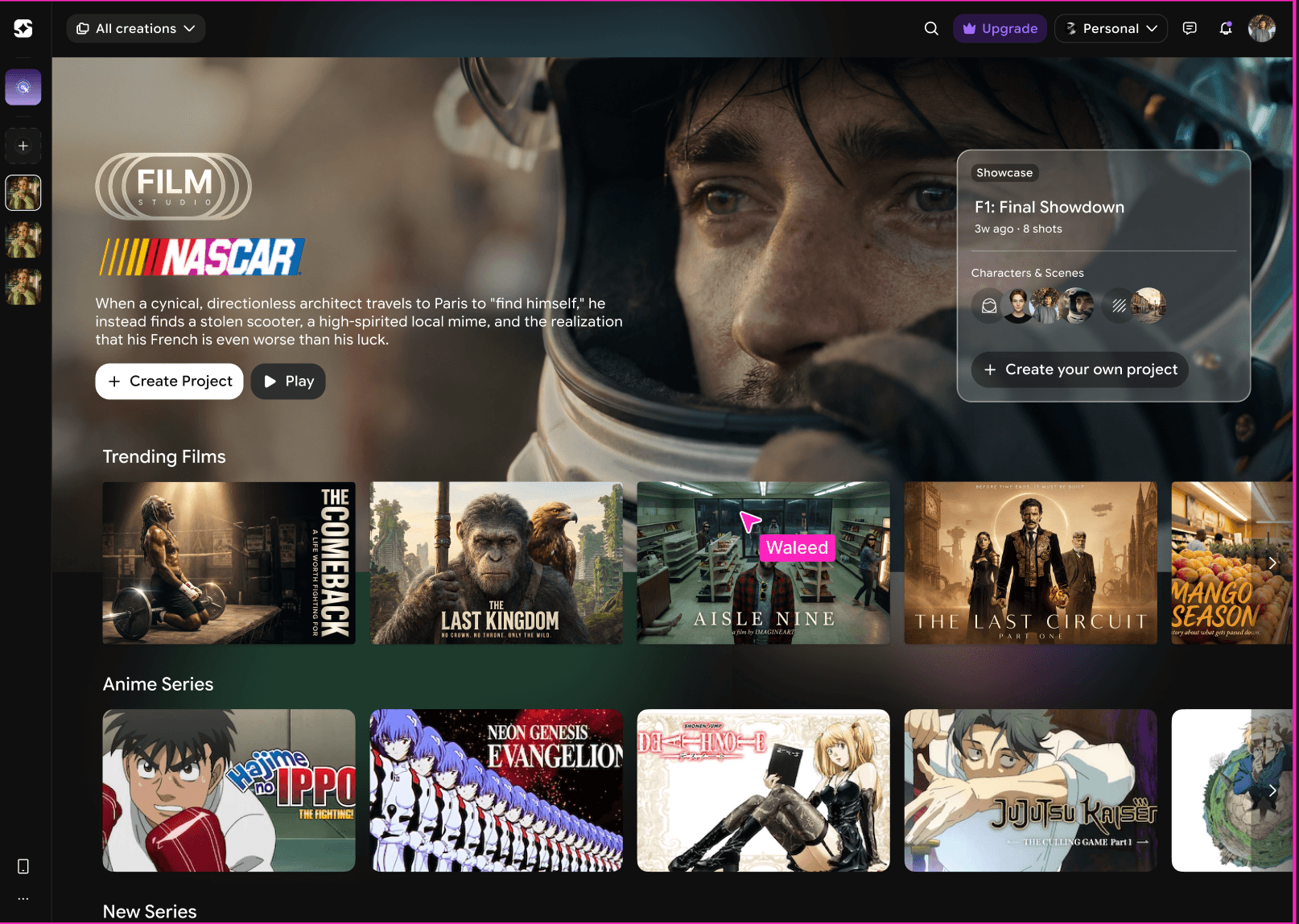
Live across ImagineArt as the default AI film surface.
Live at imagine.art/film-studio across all breakpoints.
Available to ImagineArt's 30M+ users on one credit pool.
Model-agnostic by design. The shell routes to the best cinematic model and absorbs new ones as rows, not redesigns.
The win isn't a number yet. It's that the shell held. New models land as rows, not redesigns, and the directing language is the thing users keep coming back to.
Vocabulary is product.
The words on a control change what users believe the system can do. Naming a setting 'push-in' instead of 'zoom' invited a different, more cinematic kind of intent.
Constraints are the design.
One credit pool and no node graphs weren't limits to route around. They were the brief, and they forced the shell to be a director's chair instead of an engineer's console.
Design the shell, not the model.
In a market that ships weekly, the durable surface is the one the user holds. That's the controls, not the model behind them.
Intent-based shot suggestions
'Make this feel tense' proposes Lens, Movement and Lighting combinations instead of asking the user to assemble them.
Continuity across projects
Let a character or location carry from one film into the next, not just across shots within one.
Storyboard-first authoring
Start from a board of stills and let the studio fill the motion between frames.
Close the export gap
A self-critique. Name the drop-off between a finished shot and a shared film, and design for it.